Getting Started
Get in Touch
Where we’re located:
We live, work, and play in beautiful Tallahassee, Florida.
Billing & Payment Mailing Address:
2910 Kerry Forest Pkwy, D4-282
Tallahassee, FL 32309 USA
We are SOC 2 Compliant

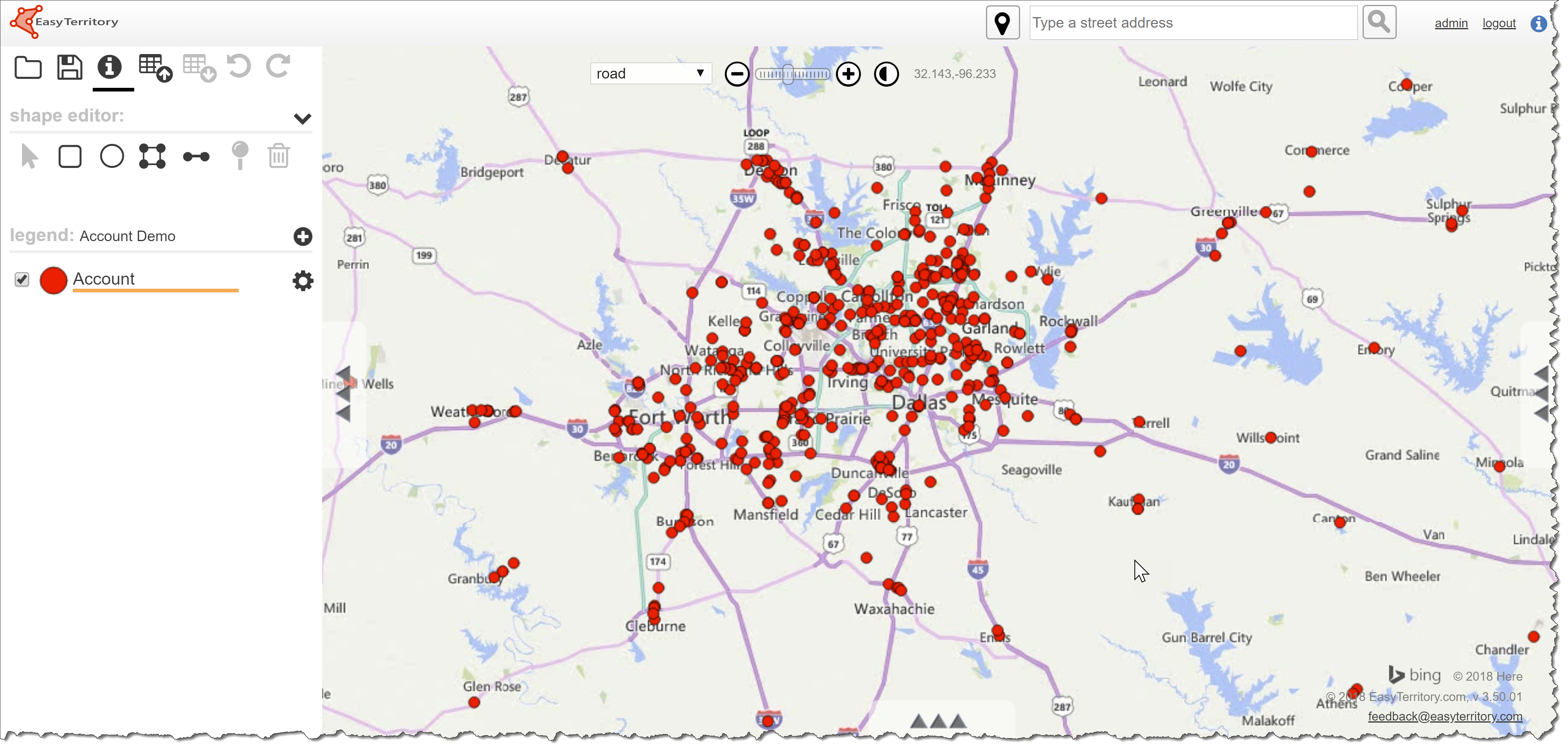
Geocoding is the process of determining latitude and longitude for a location based on an address. Having latitude and longitude set on a record in an entity such as Leads or Accounts is a requirement for territory management or Advanced Find mapping for EasyTerritory.
The Geocoding plugin for Dynamics 365 (D365) is a workflow activity for workflows. The plugin reads address values from a record and returns latitude and longitude values which can be used to update the record in a subsequent step. Typically, you would configure such a workflow to trigger on newly created records or when a record’s address information changes.
EasyTerritory leverages either Microsoft Bing Maps or Azure Maps for geocoding. Both Bing Maps and Azure Maps are world-class basemaps that produce highly accurate geocode results.
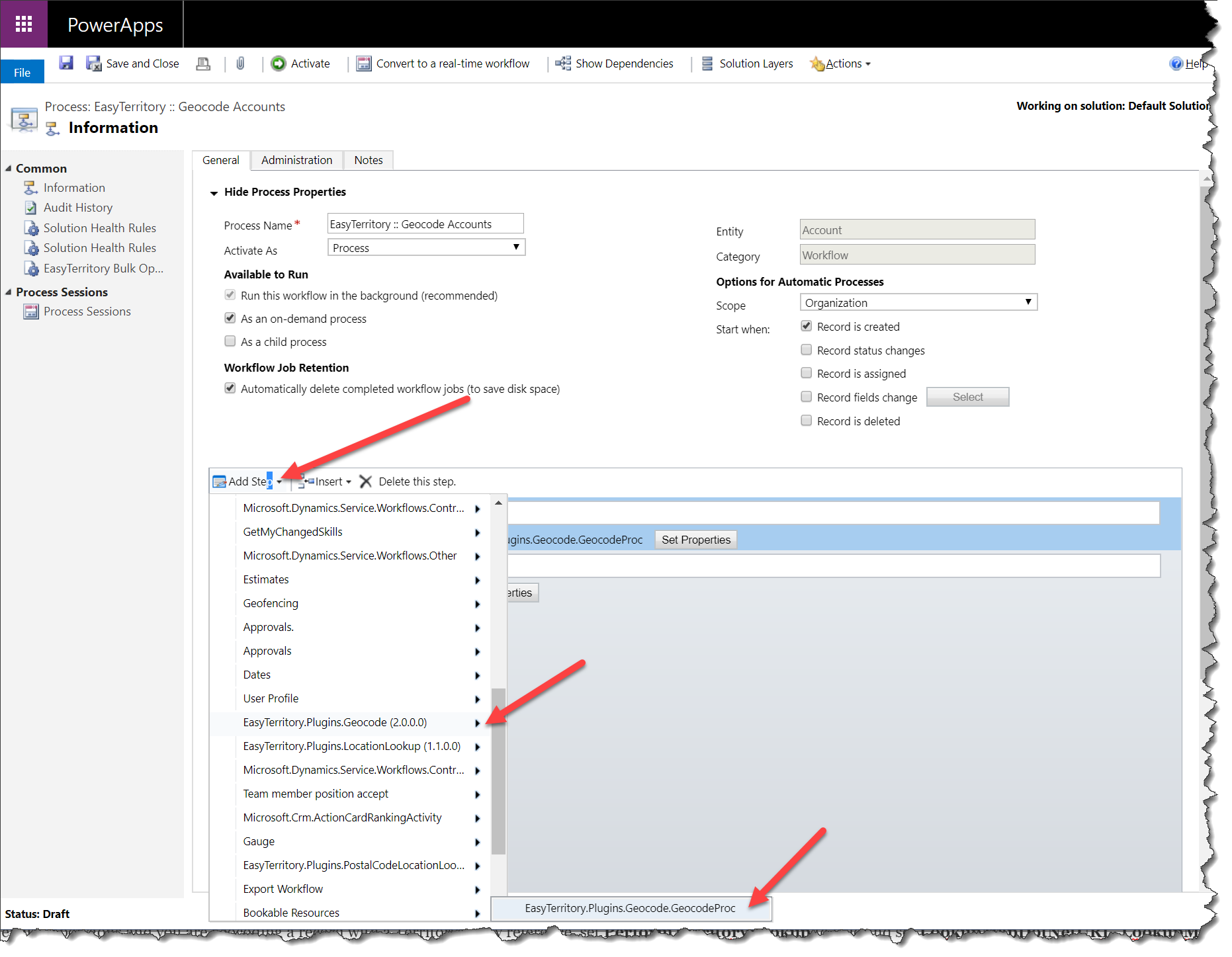
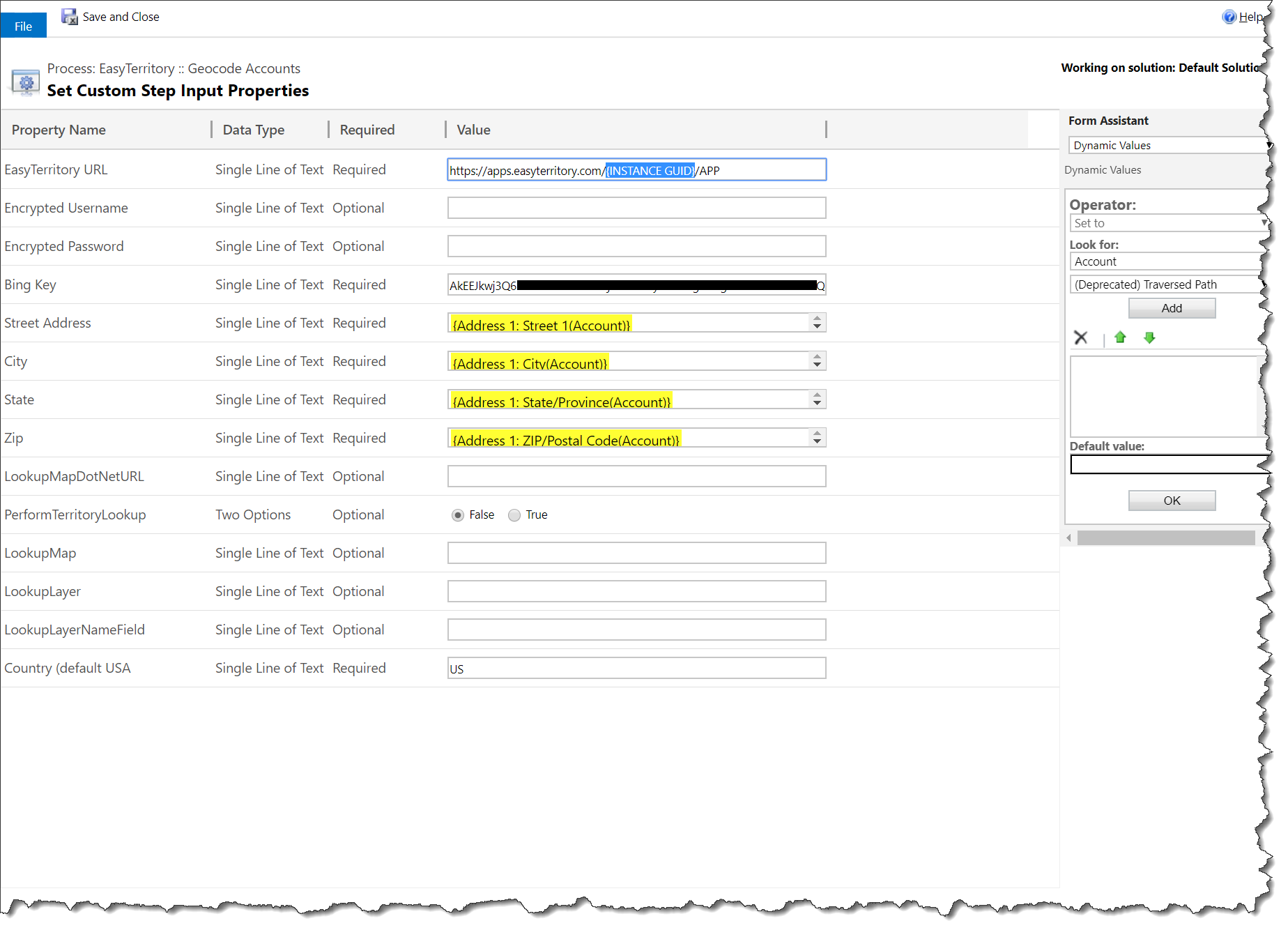 EasyTerritory URL: This is the URL to your EasyTerritory instance. Example: https://apps.easyterritory.com/{INSTANCE GUID}/{INSTANCE TYPE DEV,TEST, or APP}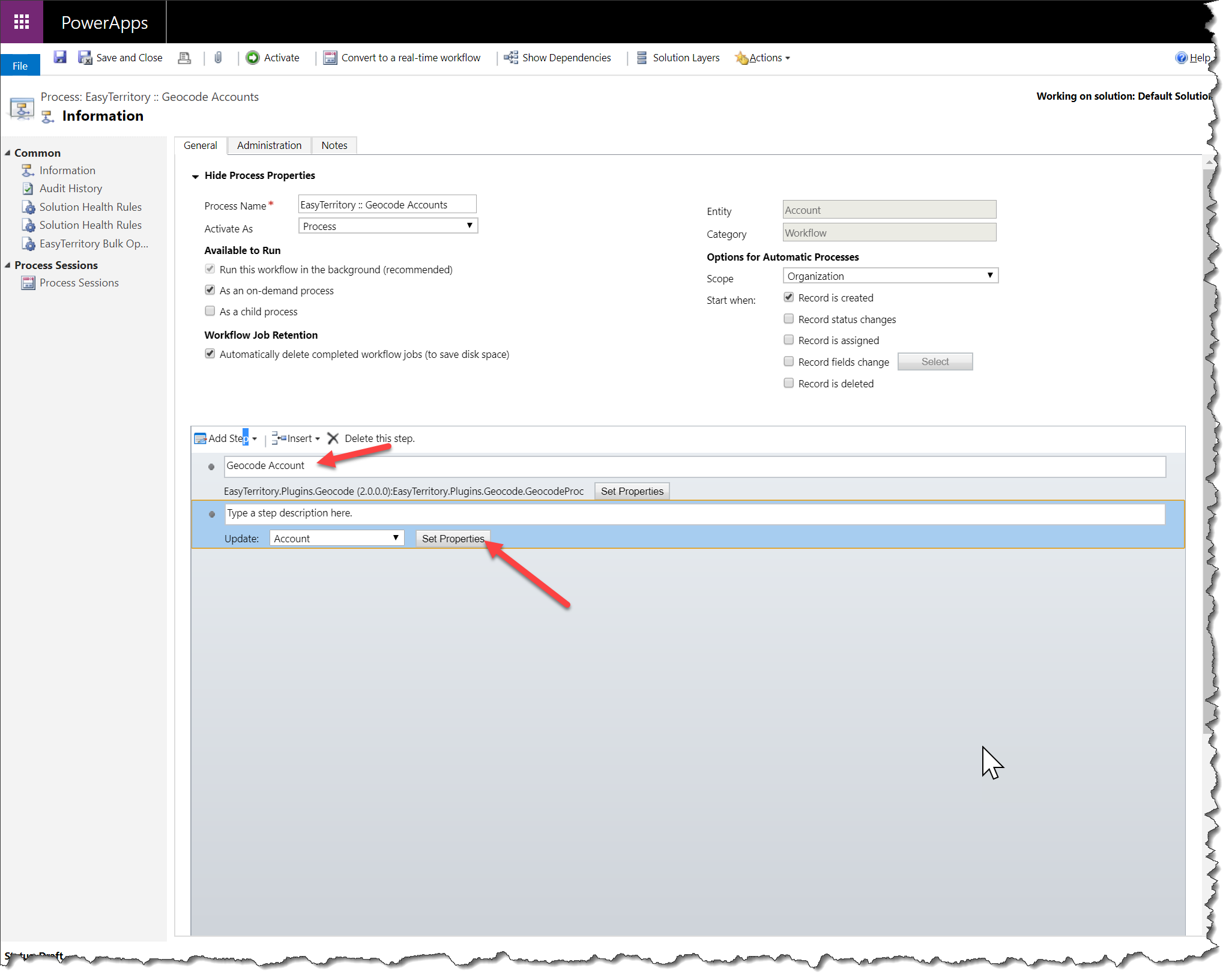
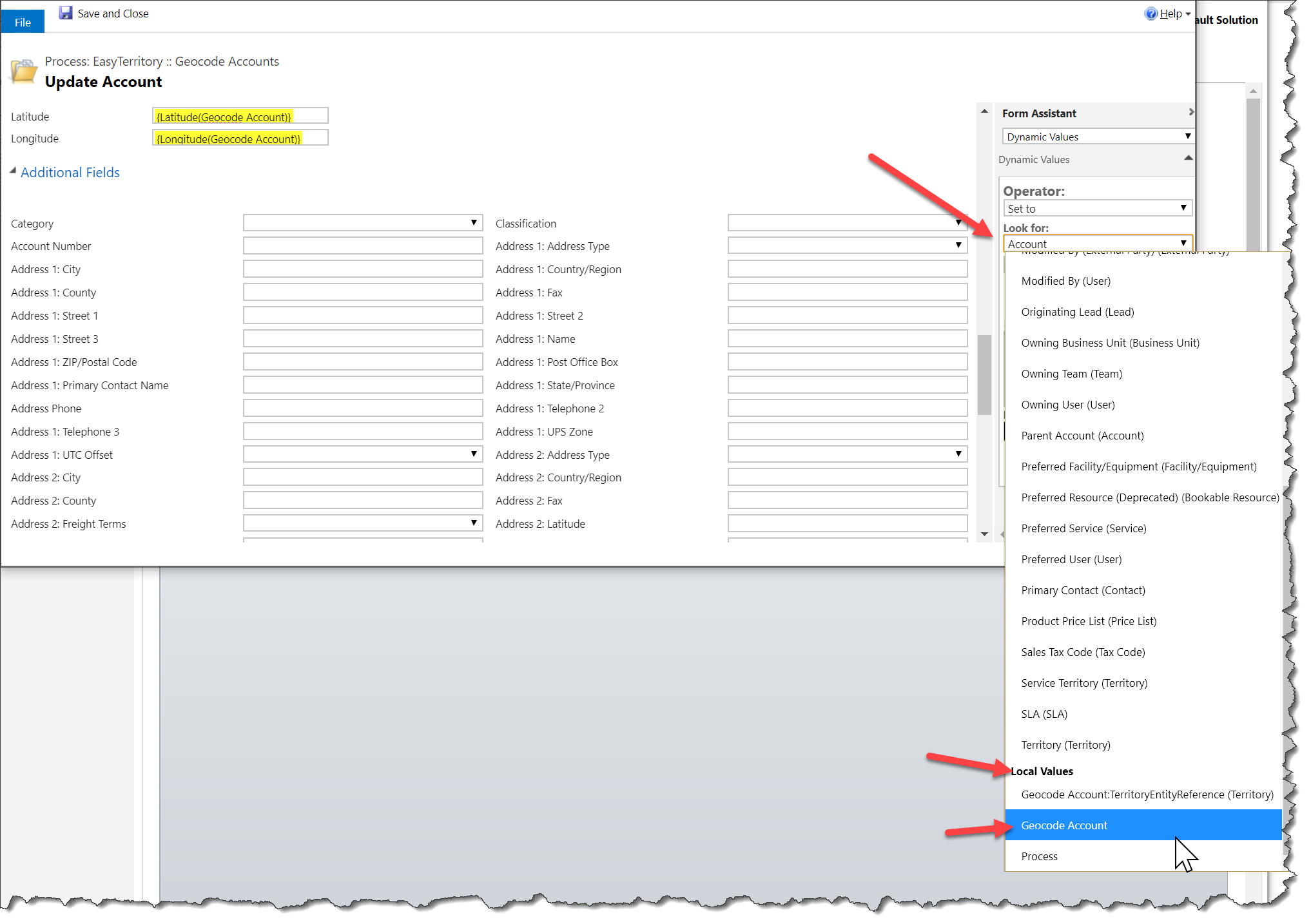 Next, set the Latitude and Longitude fields.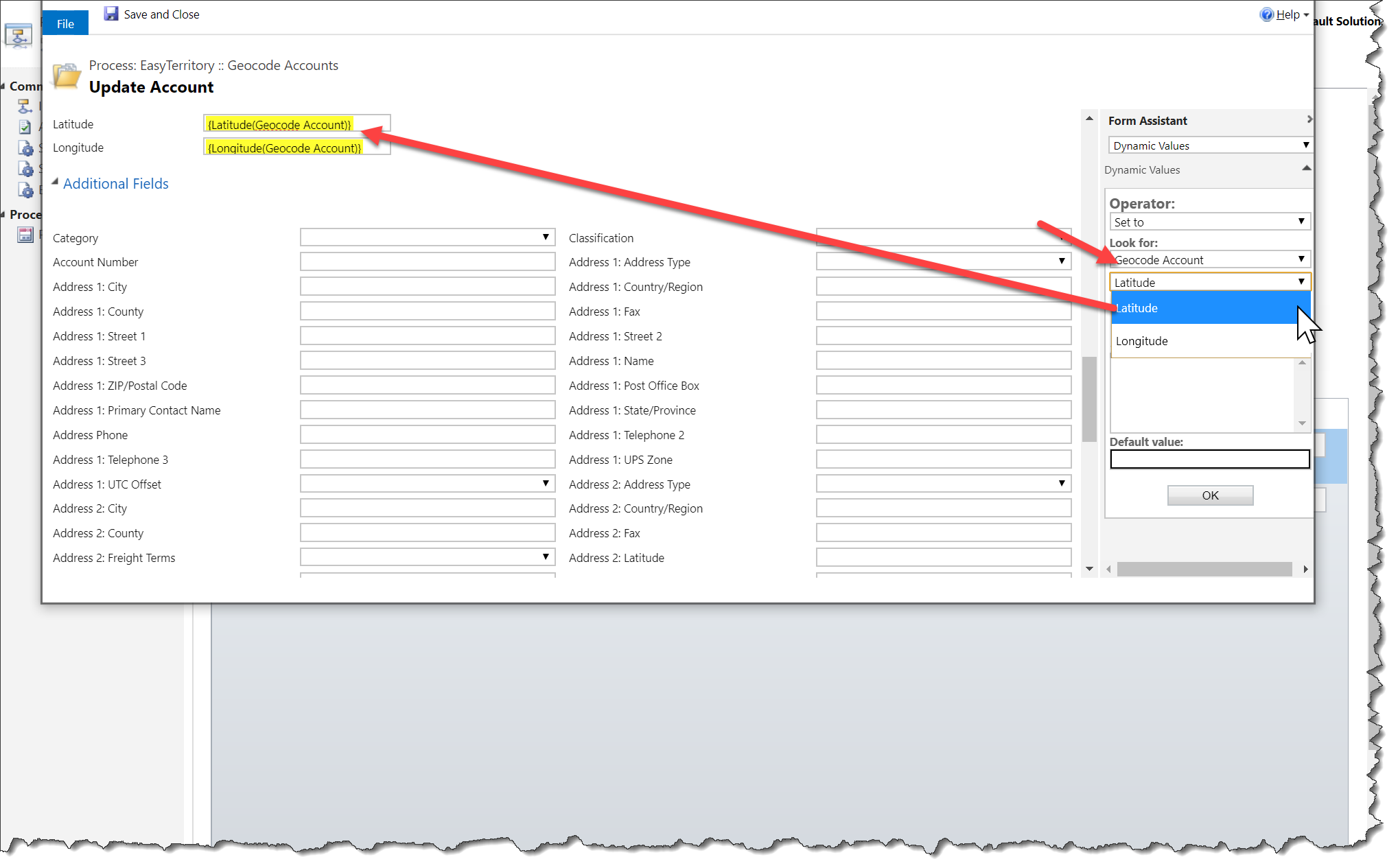
Finally, there are a number of other fields returned.
Quality: How accurate the geocode is. This should be a ‘Single Line of Text’ field. The Bing Geocoding service returns the following values: High, Medium and Low. The EZT service returns Best, Good, Fair, and Poor. Bing “High” confidence values map to “Best” or “Good” based on secondary information, “Medium” maps to “Fair”, and “Low” to “Poor”.
Match Address, Match City, Match County, Match State, Match Country, Match Full Address, Match Postal Code (Zip 5 and Zip +4), Match Zip 5 (Zip 5 Only), Match Zip 4 (Zip +4 Only): These should all be ‘Single Line of Text’ fields. These fields are the standardized (cleaned-up) values.