

In addition to the standard geographic boundary layers available in the EasyTerritory Designer, you can add a custom catalog layer based on territory boundaries created in an EasyTerritory project. This allows territories from one project to be reused as a selectable layer in other projects.
Step 1. Creating the Source Project
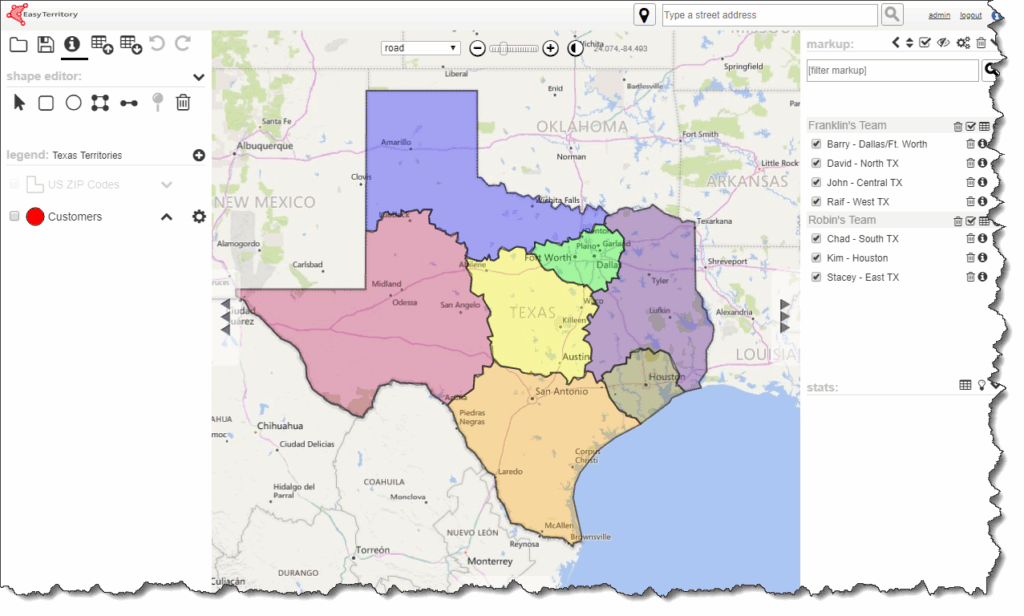
Before adding a custom layer to the catalog, create the EasyTerritory project that will serve as the source for the layer.
For example, you might create a project containing territories built from ZIP Code boundaries for the state of Texas.
The territory boundaries defined in this project will later be exposed as a reusable catalog layer.
Step 2. Creating the Project Markup Plugin
Next, configure a Project Markup Plugin using the Project ID of the source project created in Step 1.
This plugin is required to expose the project’s markup polygons for use as a catalog layer.
Refer to the documentation here for instructions on setting up the Project Markup Plugin.
Step 3. Adding the Catalog Layer
After the plugin is configured, add the layer to your catalog.
The layer can be added as either:
- Client-side, or
- Server-side
Note: Only client-side layers allow color and symbology editing.
Refer to the documentation for instructions on adding a client-side layer or a server-side layer.
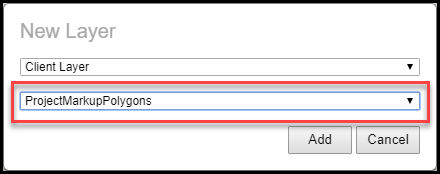
When selecting the MDN layer type, choose ProjectMarkupPolygons from the dropdown.
Step 4. Configure the Layer
When adding the layer:
- Select ProjectMarkupPolygons as the layer type.
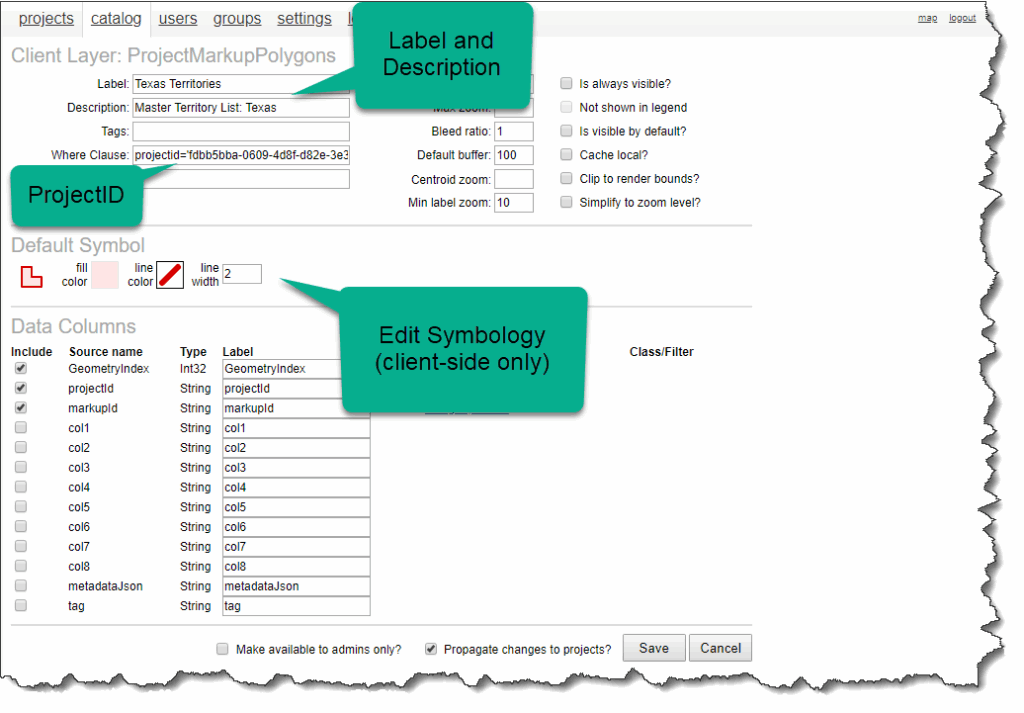
- Enter the Project ID of the source project as a Where Clause.
- Optionally update the layer’s label, description, and symbology.
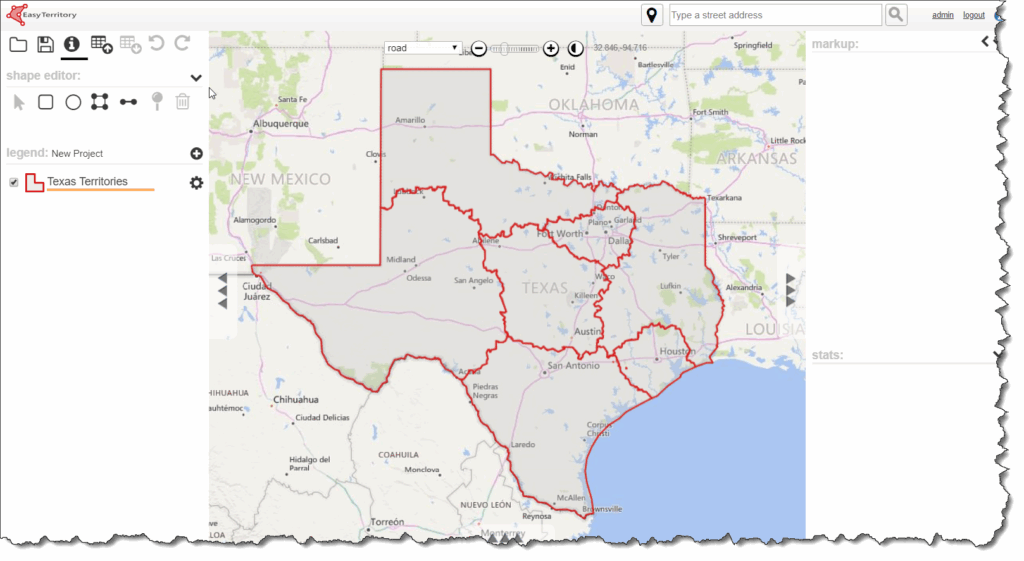
After saving the ProjectMarkupPolygons layer, the polygons defined in the Markup Panel of the source project become available in the catalog and can be added to any other project.
Step 5. Updating the Source Project
If the source project is saved with Run Plugin enabled, any changes made to the project’s markup polygons will be reflected in real time in all projects that use the custom catalog layer.
This allows you to maintain a single source of truth for shared territory boundaries.
For additional help please email: [email protected]