

EasyMap for Dynamics 365 & Power Platform
Embed powerful, data-driven maps directly inside Dynamics 365 and Power Apps — EasyMap gives your field and sales teams real-time location insights, optimized routes, and seamless Azure Maps integration for smarter, faster decisions.
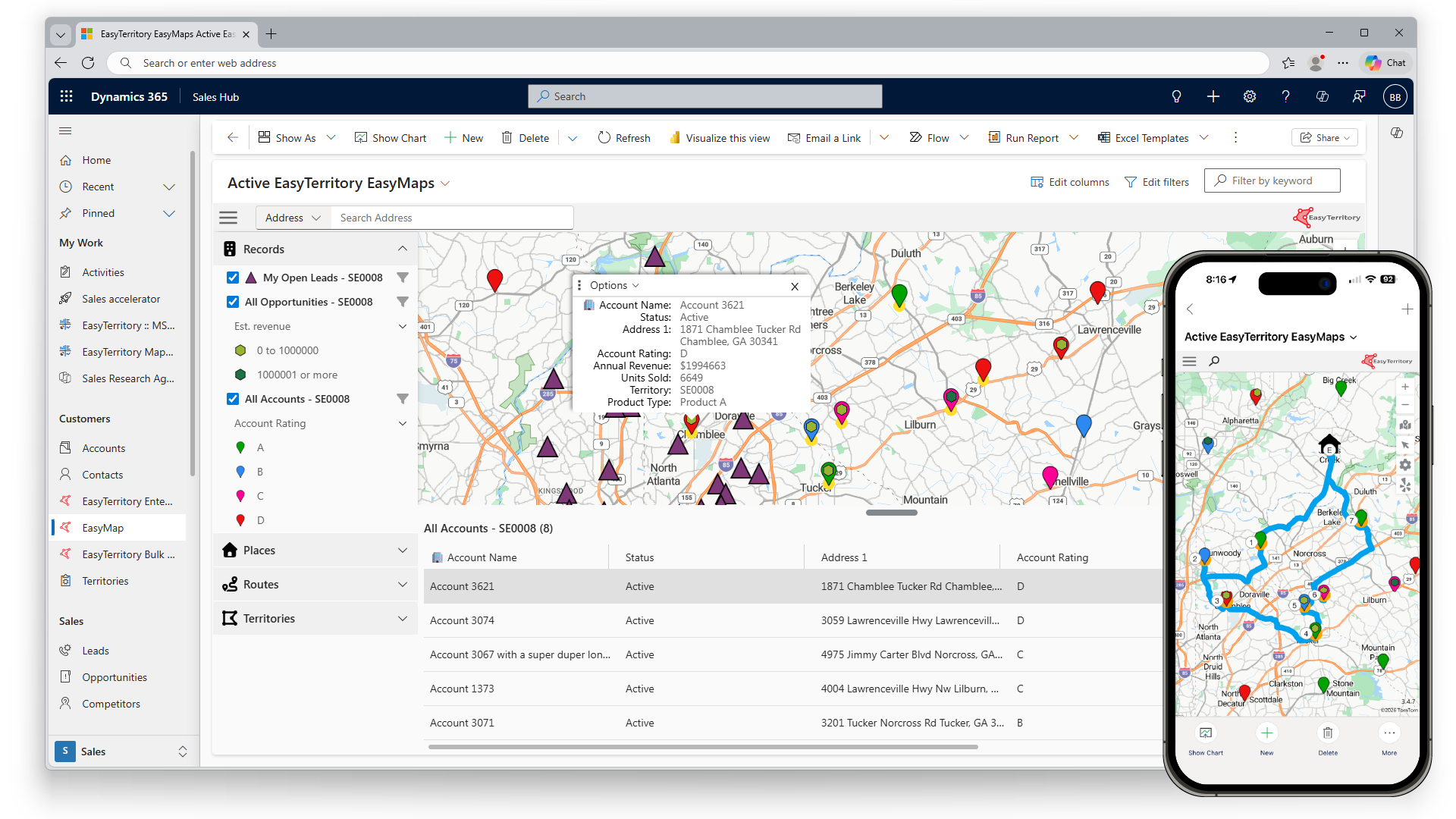
Ready for Visits
EasyMap is a native Power App Component Framework (PCF) control that embeds directly into Dynamics 365 and the Power Platform (Dataverse). Powered by Azure Maps, it combines fluid navigation, customer data visualization, and multi-stop route optimization—making it the trusted choice for organizations that want a seamless, user-friendly mapping solution inside Dynamics 365 and Power Platform in the browser and the Microsoft Sales App.

What is EasyMap & who should use it?
EasyMap is built for outside sales and field reps who need to plan routes and visualize leads, accounts, or service calls in the field. Unlike generic route mappers, EasyMap delivers real-time CRM data inside PowerApps—making it faster, simpler, and more reliable than free tools or overly complex alternatives. With support for multiple entities and views in Dynamics 365, reps get the data they need in one intuitive map interface, driving adoption and productivity.
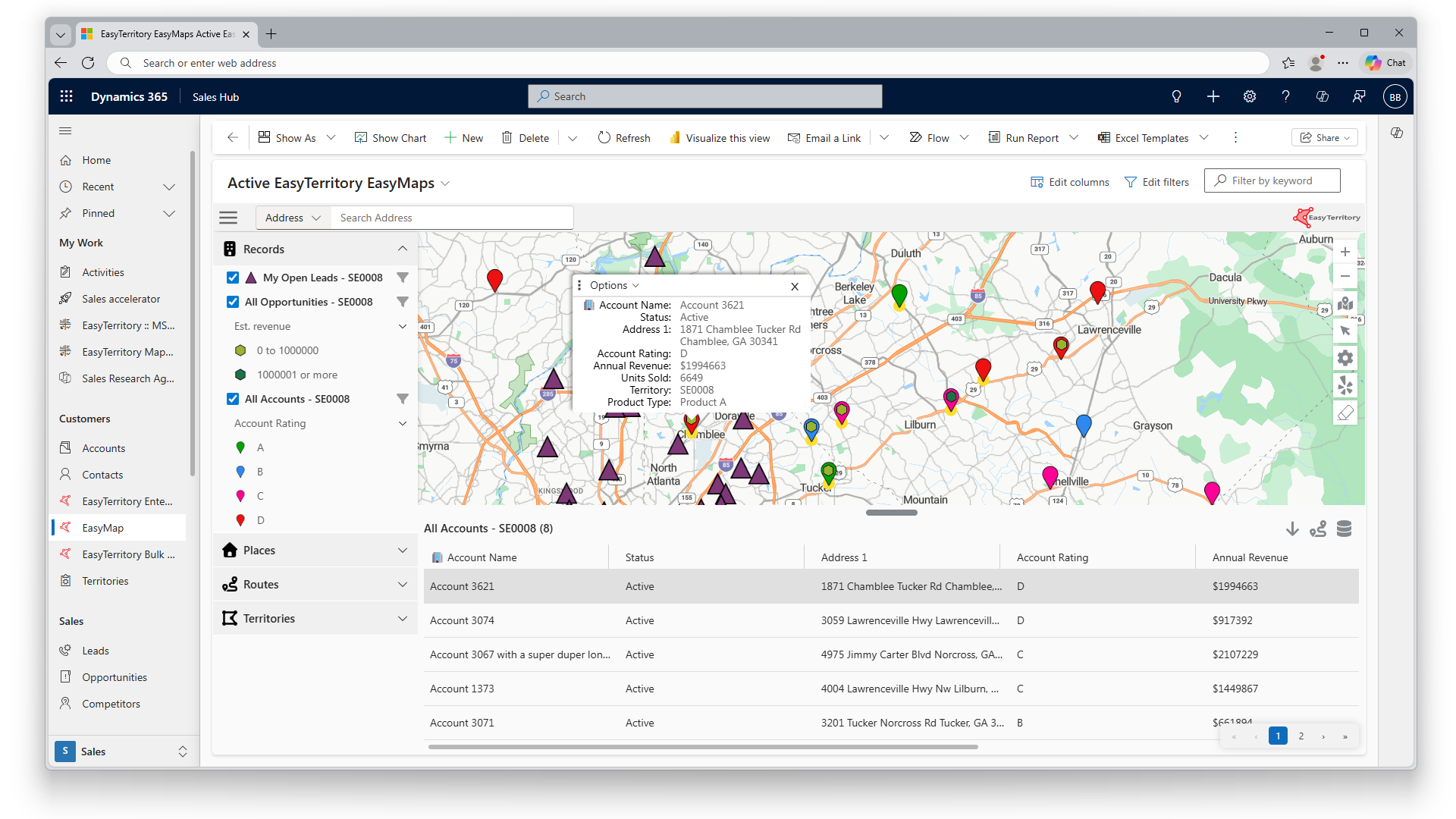
CRM maps: visualize customer data on a dynamic map
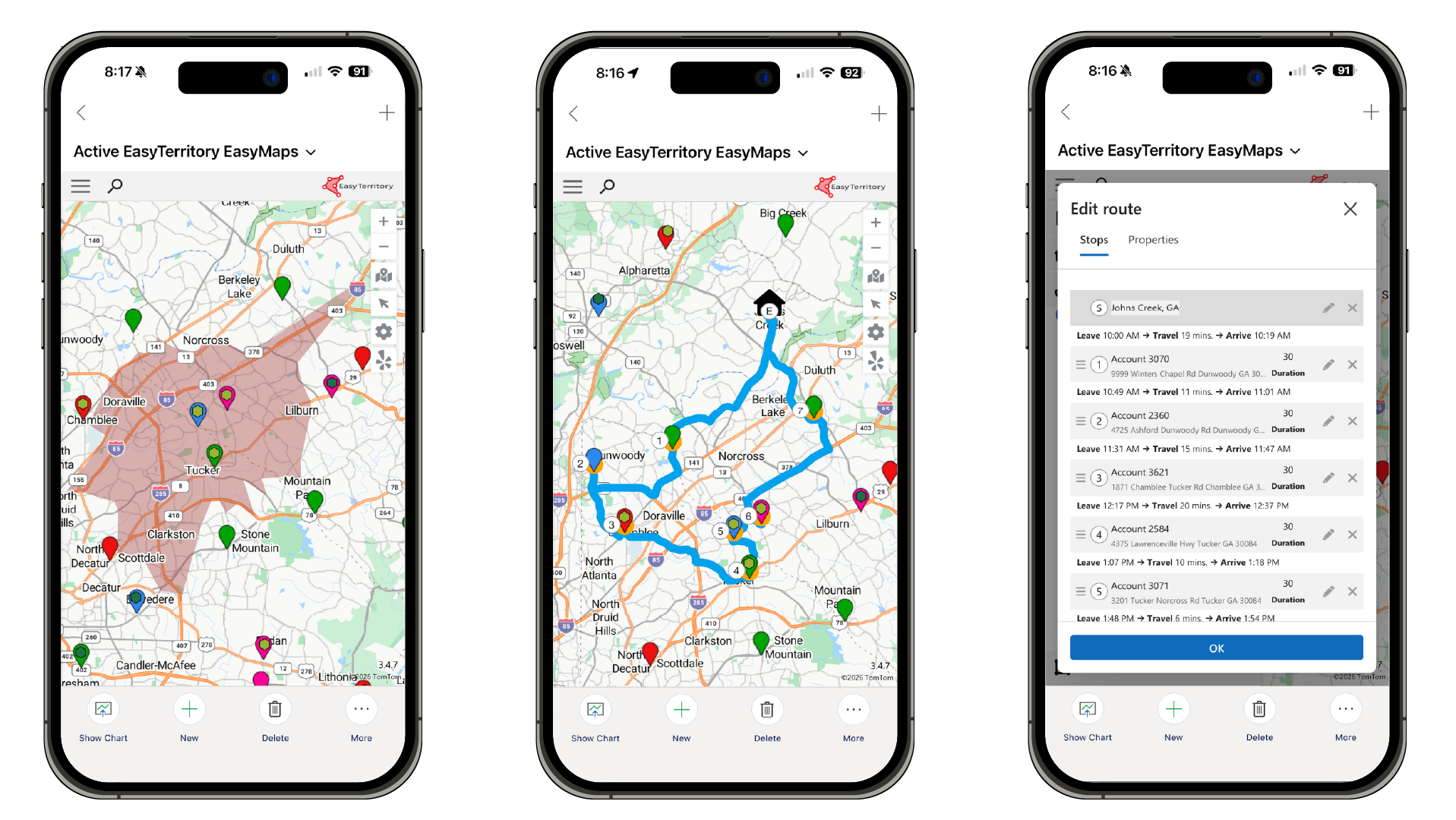
EasyMap turns your CRM data into an interactive map view for Dataverse or D365. Click pins to see customer details, filter and sort with ease, and plan smarter routes—all within a clean, user-friendly Azure Maps interface.
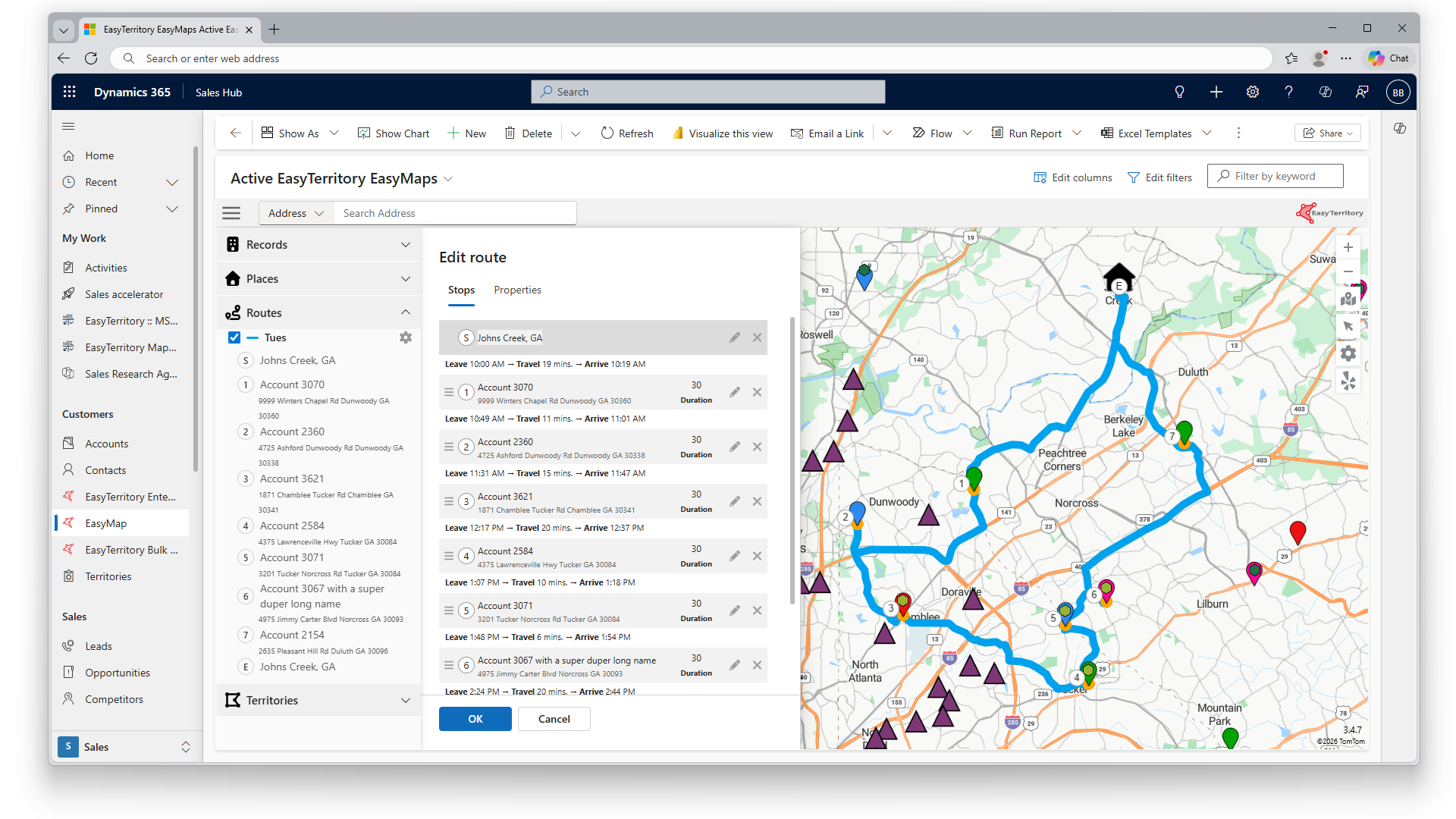
Field & sales route optimization: smarter multi-stop planning
EasyMap helps sales reps and service techs build optimized multi-stop routes in minutes. Add or remove stops with ease, save routes, and access them on the go in Apple Maps or Google Maps. Unlike generic apps, EasyMap gives your team a standardized, data-driven way to create efficient daily or weekly routes in D365.
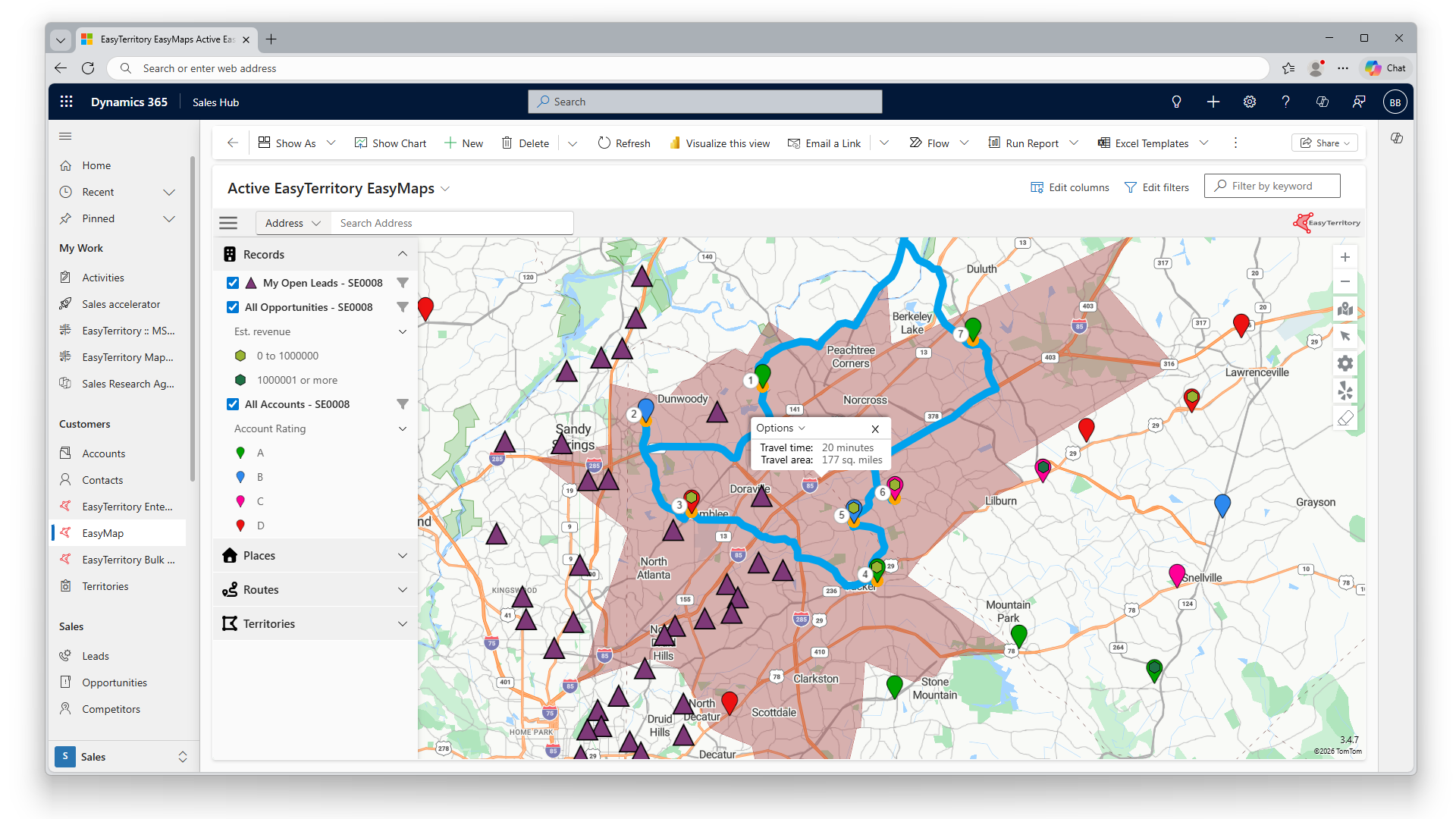
Travel-time rings: visualize reach in minutes
With EasyMap, reps can draw travel-time rings—polygons based on a chosen travel window (e.g., 15 minutes). Instantly see all customers or accounts within range by driving, walking, or transit. Perfect for smarter territory planning and efficient scheduling.
Cross-platform integrations
Launch your preferred navigation app directly from EasyMap. Click a pin, choose “Directions,” and instantly open turn-by-turn routes in Apple Maps, Google Maps, or Waze.
EasyMap isn’t just a route planner—it’s a Microsoft Power Platform integration that unites mapping, customer data, and flexible routing into one powerful tool for your field teams.

Features of EasyMap Azure Maps PCF Control

Seamless integration with Dynamics 365
Native PCF Control: Built as a PowerApps Component Framework (PCF) control, EasyMap integrates seamlessly into Dynamics 365 and Power Platform.
Dynamic Entity Mapping: Map Accounts, Contacts, Leads, and custom entities instantly—with full support for relationships and filters.

Robust mapping capabilities
Interactive Map Visualizations: Leverage Azure Maps for fast, responsive maps embedded directly in Dynamics 365 dashboards and forms.
Multiple Map Layers: View pushpins, heatmaps, and shape files together for deeper geographic insights.
Customizable Data Pins: Use built-in icons or upload your own to visually distinguish data points.
Yelp Integration: Add a Yelp API Key to enable points-of-interest search from Yelp.

Advanced geospatial analytics
Geocoding & Reverse Geocoding: Convert addresses to coordinates (and vice versa) with Azure Maps.
Proximity Searches: Run radial or polygon searches to find records in specific areas.
Route Optimization: Build efficient multi-stop driving routes for field teams.

Configurable user-friendly interface
Drag-and-Drop Setup: Configure maps and data sources without coding.
Customizable Tooltips & Pop-ups: Surface the right data when users click pins.
Responsive Design: Works seamlessly on desktop, tablet, and mobile.

Real-rime data & integration
Live Data Feeds: Visualize updates as they happen.
Data Sync: Automatically stay aligned with Dynamics 365 records.

High performance & scalability
Azure-Powered: Handle large datasets with speed and minimal latency.
Flexible Deployment: Scale from small teams to enterprise rollouts.

Security & compliance
Enterprise-Grade Security: Backed by Azure encryption and compliance.
Role-Based Access: Control who can view or edit map data.

Support & documentation
Step-by-Step Resources: Setup guides, manuals, and best practices included.
Dedicated Support: Expert help from the EasyTerritory team.