

The Territory Sync Plugin enables EasyTerritory markup shapes (territories) to be synchronized with SQL Server and/or Dynamics 365 (CRM) entities. The plugin can also identify and update relationships between territories and point-based data, such as CRM Accounts or Leads that contain latitude and longitude values.
The plugin can be used on its own or in combination with the CRM Geocoding Plugin and CRM Location Lookup Plugin. Together, these plugins provide bidirectional synchronization between EasyTerritory and Dynamics CRM.
The Territory Sync Plugin runs automatically when a properly configured EasyTerritory project is saved..
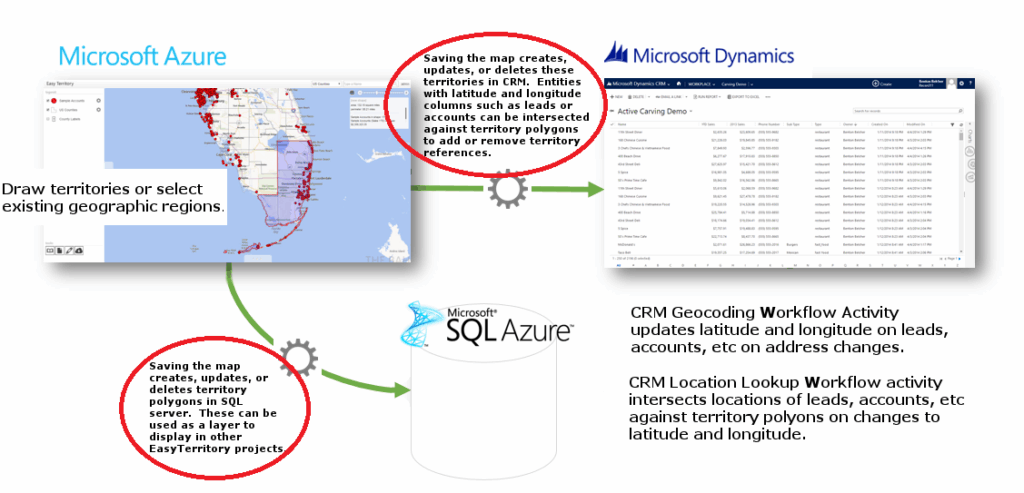
How the Territory Sync Plugin Works
When triggered, the plugin can perform the following actions:
- Save all markup shapes (territories) from an EasyTerritory project to a SQL Server table, which can then be used as a source layer in other projects
- Update related SQL tables by assigning territory shape IDs based on spatial intersection
- Create new territory records in a target CRM entity (for example, the built-in Territory entity or a custom entity)
- Update relationships between the CRM Territory entity and secondary CRM entities by intersecting entity latitude and longitude values with territory polygons
Plugin Configuration
If you are using EasyTerritory Online, this plugin must be configured with the assistance of your dedicated EasyTerritory/CRM expert. This feature is supported only in the EasyTerritory Enterprise edition. Plugins can be configured through the Administrative Settings section of the Territory Designer application.
This section applies to all plugins and defines:
- Which plugins are active
- Which projects they apply to
- Where their configuration is defined
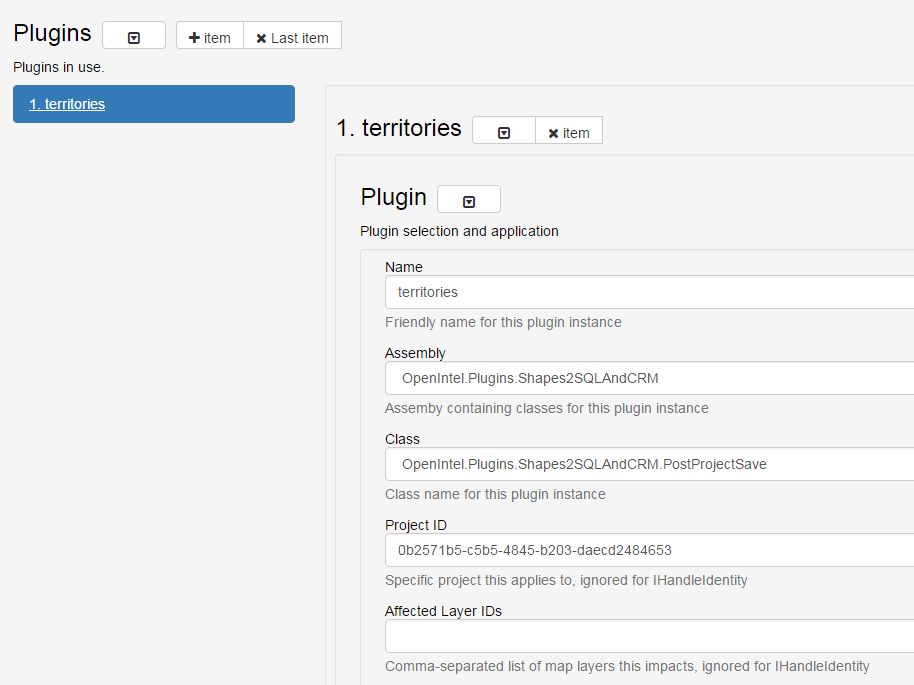
Plugin Attributes
- Name (Required)
A friendly name for the plugin - Assembly (Required)
The assembly that contains the plugin
Select: OpenIntel.Plugins.Shapes2SQLAndCRM - Class (Required)
The class implementing the EasyTerritory plugin interface
Select: OpenIntel.Plugins.Shapes2SQLAndCRM.PostProjectSave - Project ID (Required)
Limits plugin execution to a specific project Warning: Although technically optional, omitting this value for this plugin can cause severe issues, such as deleting all territories in CRM when saving an unrelated project. - Affected Layer IDs (Optional)
A comma-separated list of MapDotNet layer IDs that map to SQL tables affected by the plugin
Under the Config section, select OpenIntel.Plugins.Shapes2SQLAndCRM.

Plugin Configuration: Shapes2SQLAndCRM
The Shapes2SQLAndCRM plugin associates EasyTerritory markup shapes with:
- A spatial table in SQL Server
- A CRM entity
- Or both
It can also evaluate point-based data in related tables or entities and apply:
- Labels (SQL)
- Relationship values (CRM)
You must configure at least one of the following:
- SQL Server settings
- CRM settings
- You may configure both.
SQL Configuration Attributes
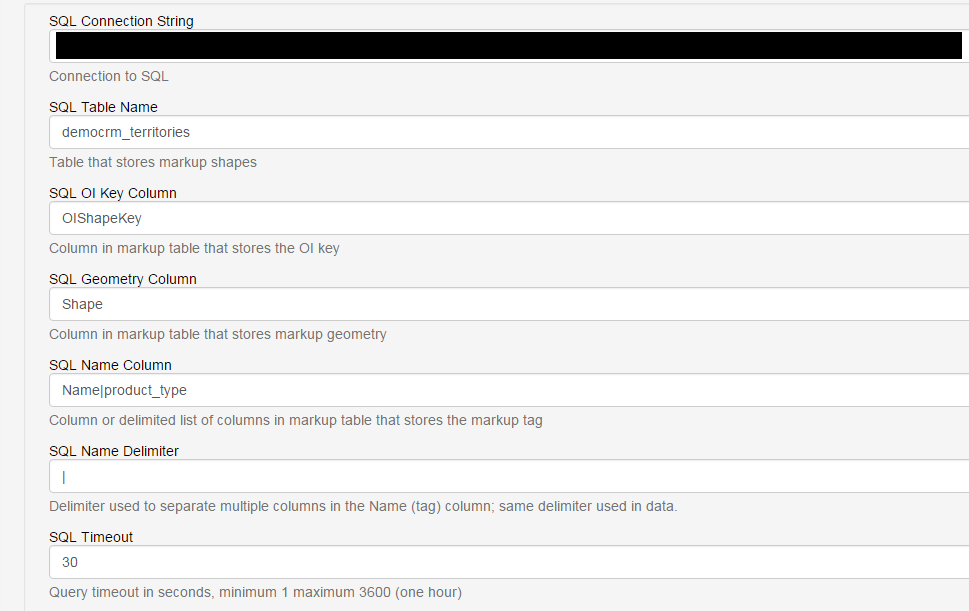
Required when an SQL connection string is provided
- SQL Connection String (Required)
Connection to SQL Server - SQL Table Name (Required)
Table containing polygon geometry - SQL OIKey Column (Required)
Stores the EasyTerritory key used to match, update, and delete records - SQL Geometry Column (Required)
Column containing territory geometry - SQL Name Column (Required)
Column(s) containing the territory name
Multiple columns are supported using a delimiter (see SQL Name Delimiter) - SQL Timeout (Required)
SQL command timeout (default: 30 seconds)
CRM Configuration Attributes
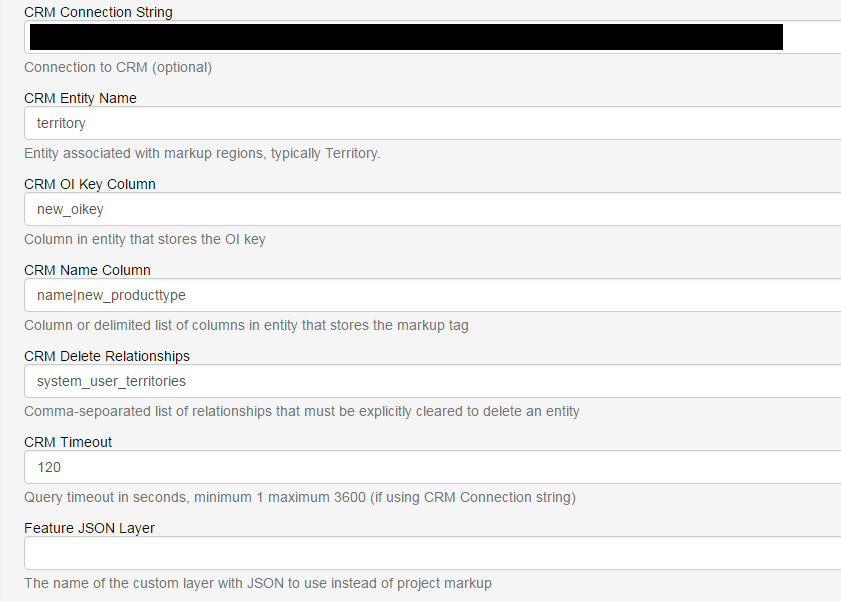
Required when a CRM connection string is provided
- CRM Timeout (Required)
CRM command timeout (default: 120 seconds) - CRM Connection String (Required)
Connection to Dynamics CRM (Online) - CRM Entity Name (Required)
Entity corresponding to the primary territory table - CRM OI Key Column (Required)
Stores the EasyTerritory key for record matching - CRM Name Column (Required)
Field(s) containing the territory name
All fields must be Single Line of Text - CRM Delete Relationships (Optional)
Comma-separated list of relationships that must be cleared before deletion - CRM Timeout (Required)
CRM command timeout (default: 120 seconds)
Shared Attributes
- SQL Name Delimiter (Optional)
A single character used to split territory names across multiple fields - Feature JSON Layer (Optional)
Name of a custom JSON-based layer used instead of project markup
Column Value Constraints (Optional)
Column value constraints restrict when a plugin instance applies.
When configured:
- Inserted records are assigned the constraint values
- Updates and deletes apply only to records that meet the constraints
This allows multiple plugin instances to manage different sets of territories for different purposes
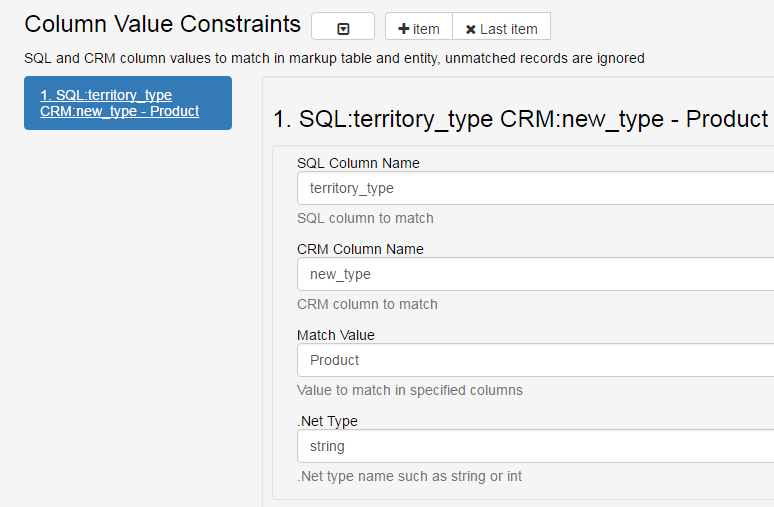
Constraint Attributes
- .NET Type (Optional)
Data type of the value (defaults tostring) - SQL Column Name (Optional)
Prohibited if no SQL connection is provided - CRM Column Name (Optional)
Prohibited if no CRM connection is provided - Match Value (Required)
Value that must match for the plugin to apply
Related Tables and Entities (Optional)
Related tables and entities are updated based on their spatial relationship to the primary territory shapes. Records in these tables are never inserted or deleted by the plugin.
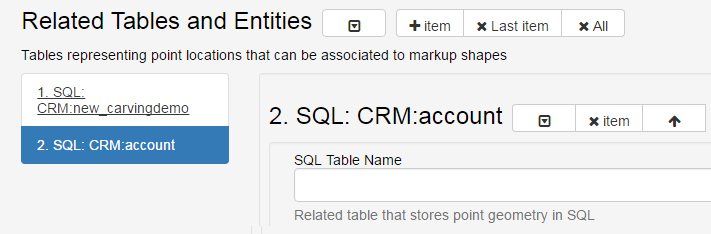
SQL Related Table Attributes
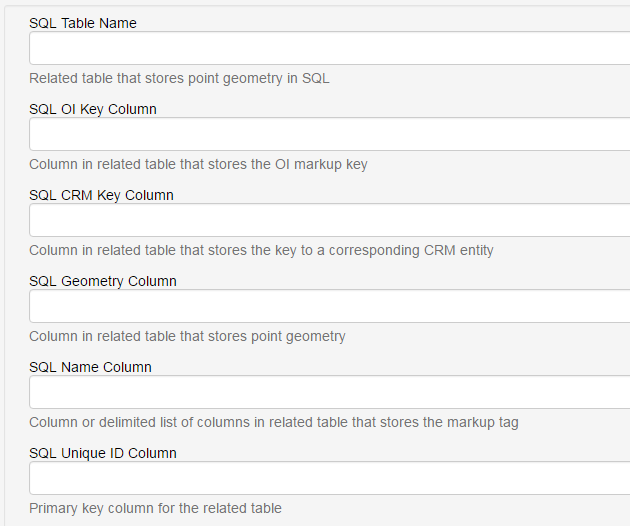
- SQL Table Name (Required)
- SQL OI Key Column (Required)
- SQL Geometry Column (Required)
- SQL Name Column (Required)
- SQL Unique ID Column (Required)
Note: SQL CRM Key Column is deprecated and retained only for backward compatibility.
CRM Related Entity Attributes
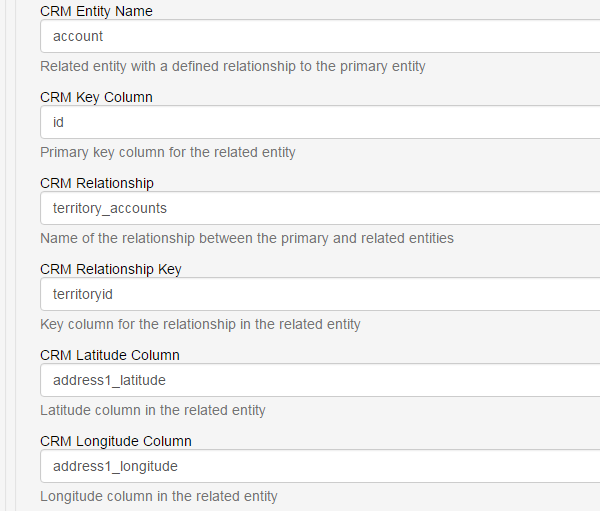
CRM Related Entity Attributes
- CRM Entity Name (Required)
- CRM Key Column (Required)
- CRM Relationship (Required)
- CRM Relationship Key (Required)
- CRM Latitude Column (Required)
- CRM Longitude Column (Required)
Notes
Related tables can be shared across plugin instances or managed independently
Secondary tables and entities may have different constraints than the primary table
Multiple plugin instances can target the same primary table with different constraints
For additional help please email: [email protected]